Google Cloud Delegation
If you want to put a Google Map on your website, Google now requires you to have a Google API key. To get an API key, you need a Google Cloud account, then you can delegate an access to your Google Cloud to us.
Create a Google Cloud Account (skip if you already have this)
Goto https://cloud.google.com/ and signup
Delegate Access to Your Google Cloud Account to Websites.ca
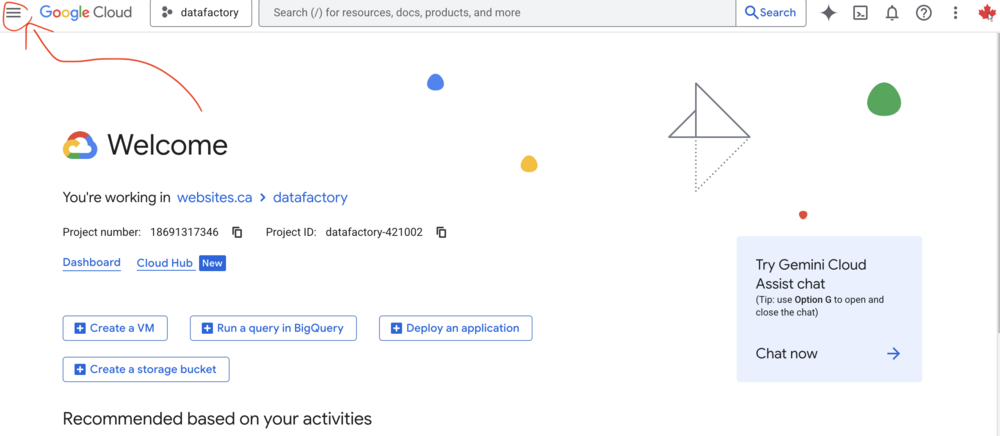
Login at https://cloud.google.com/
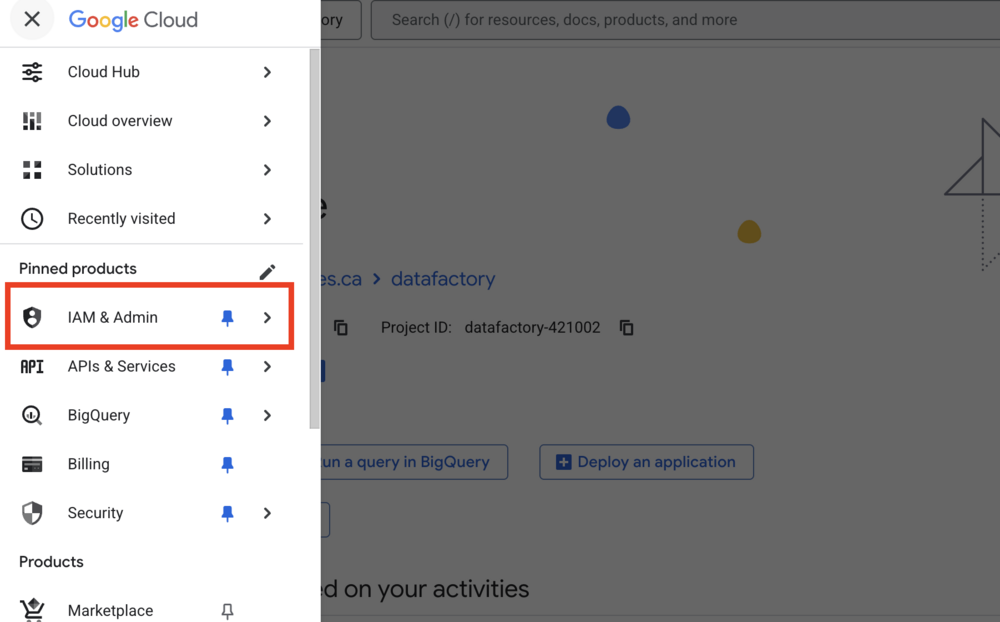
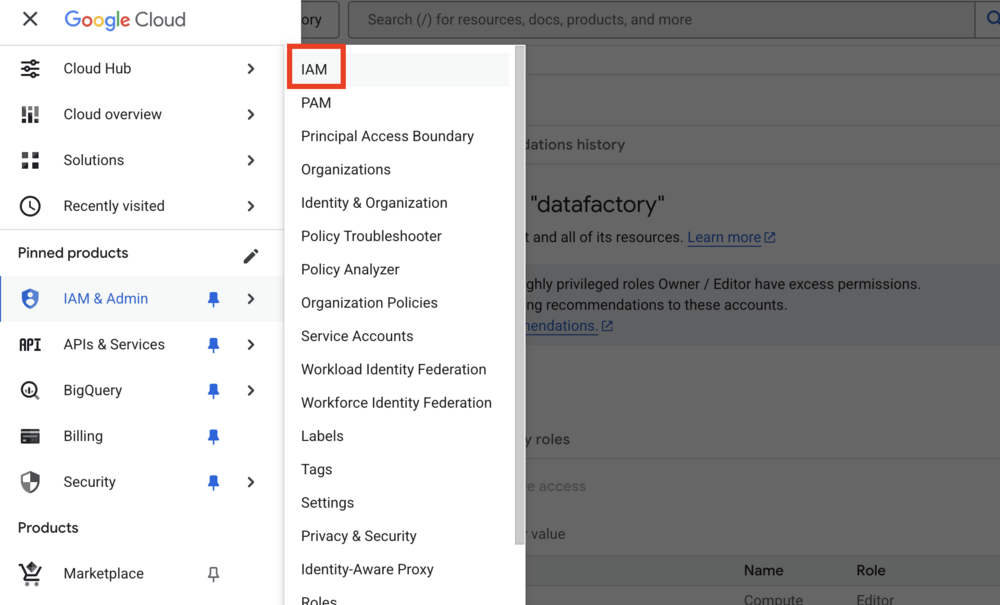
Navigate to IAM & Admin in the sidebar
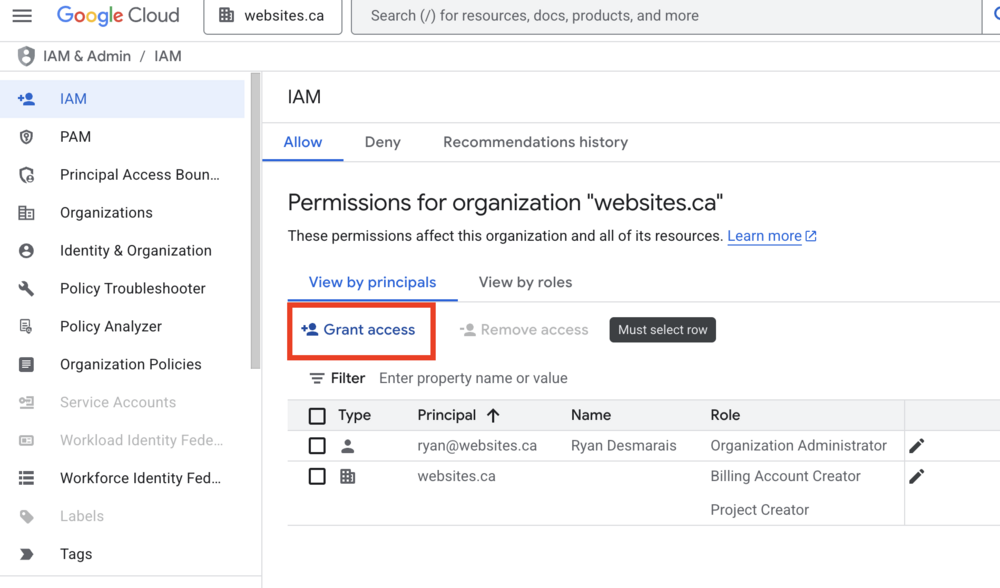
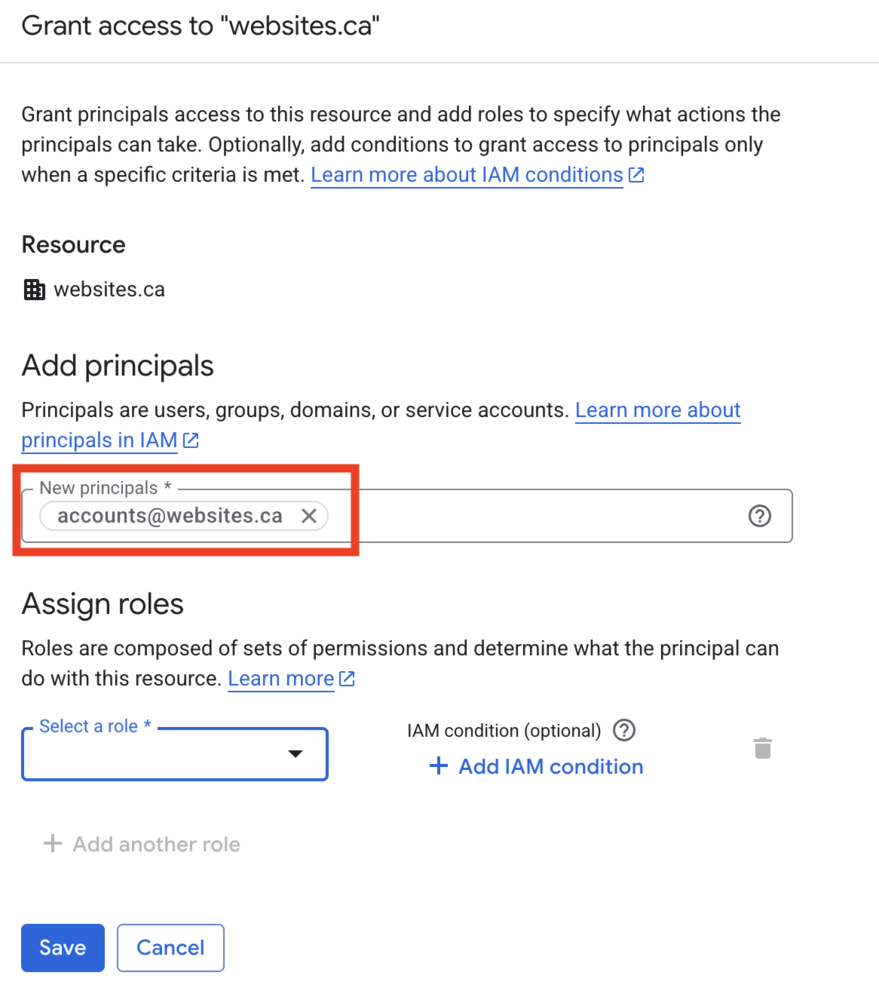
Click “Add” to add a member (make sure your Organization is selected, not a Project)
Enter accounts@websites.ca as the email
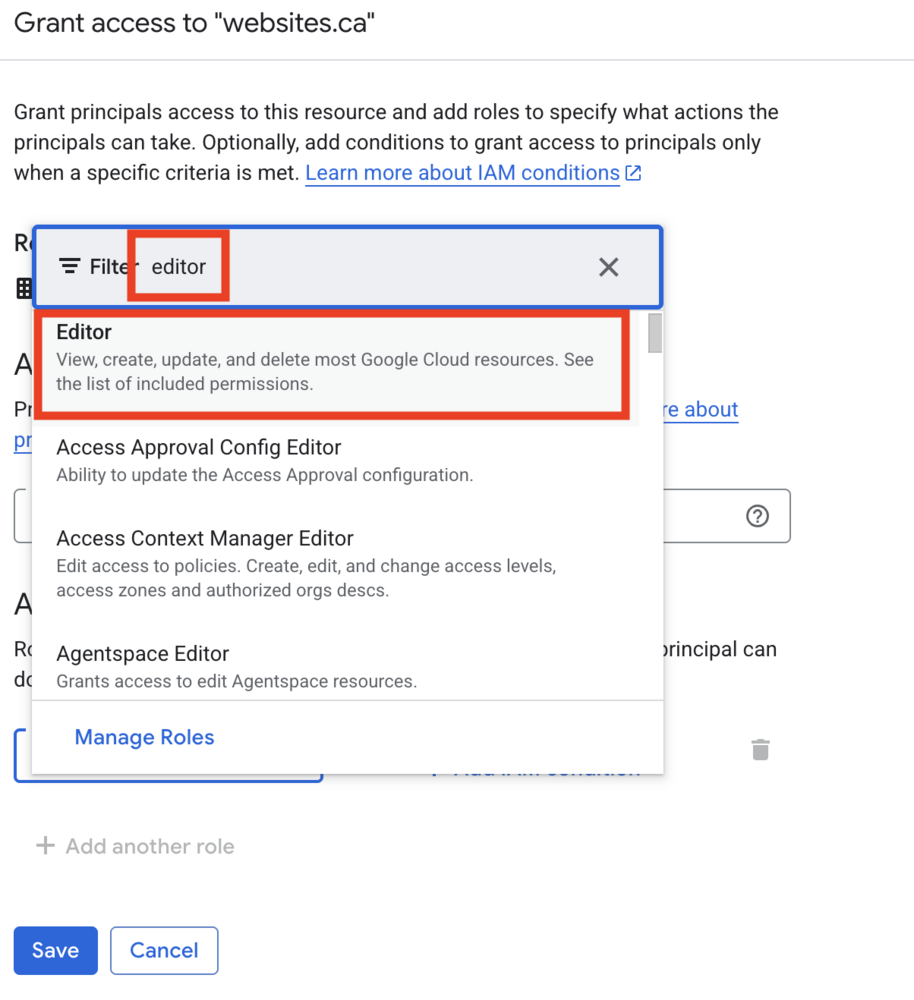
Assign a role such as “Editor” (sufficient for managing API keys) or “Owner” (full permissions)
Save the changes